![ideawake-logo-simple-no-padding-1.png]](https://academy.ideawake.com/hs-fs/hubfs/ideawake-logo-simple-no-padding-1.png?height=30&name=ideawake-logo-simple-no-padding-1.png)
Change visibility settings
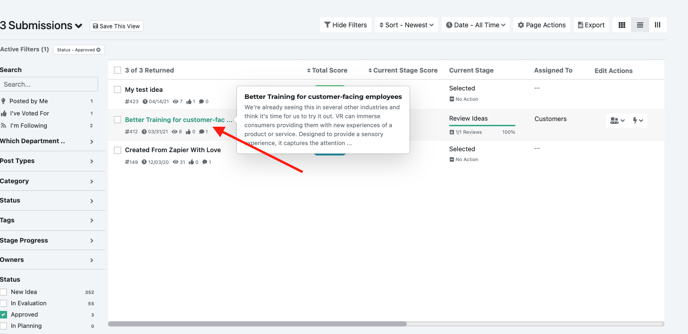
In order to enable/disable these settings, go to the ideas page for a challenge or at the community level. Once on the list view, select an idea you would like to update the settings for by clicking the idea title.
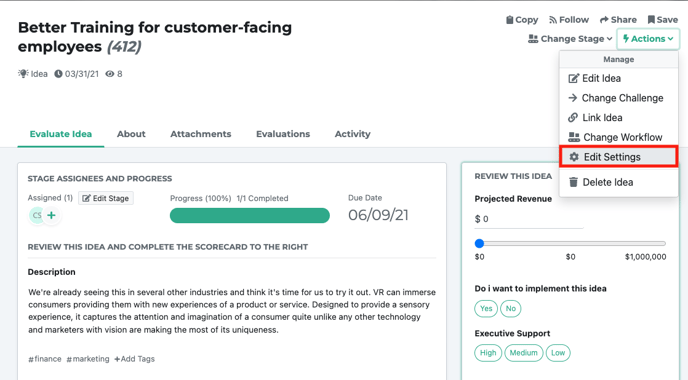
Once you do this, the idea pop-up modal will appear. Click on the actions item button in the top right hand corner and select 'edit settings' from the drop down menu.
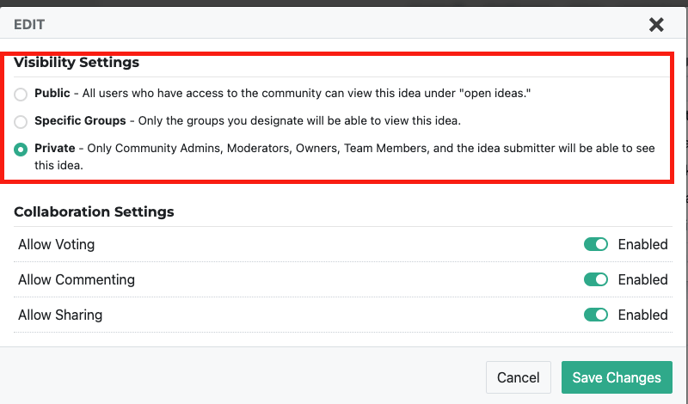
You can now update the visibility settings. Click on 'save updates' when you are ready to make your changes.