![ideawake-logo-simple-no-padding-1.png]](https://academy.ideawake.com/hs-fs/hubfs/ideawake-logo-simple-no-padding-1.png?height=30&name=ideawake-logo-simple-no-padding-1.png)
This tutorial guides you through Exporting Custom Fields Data
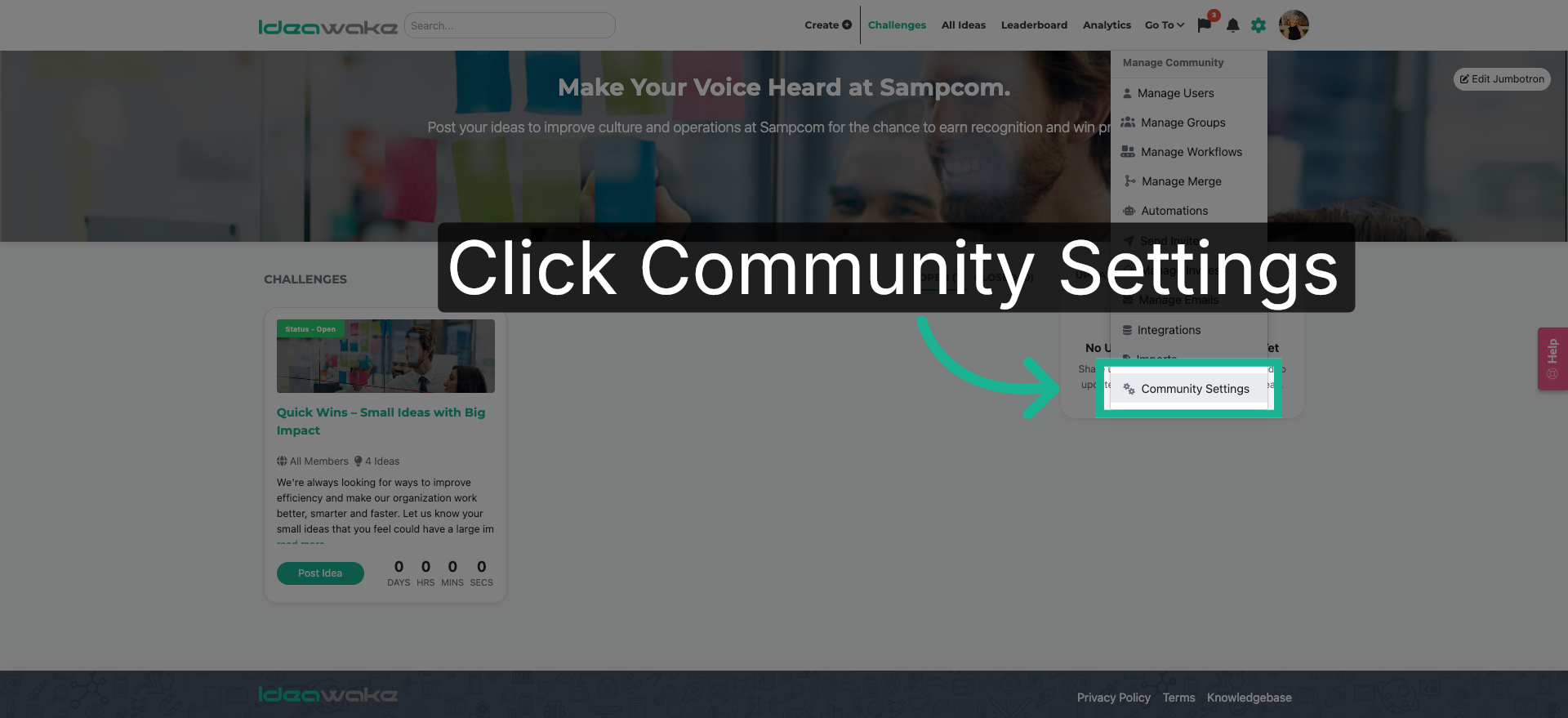
1. Open Community Settings
Click on "Community Settings" from the drop down menu.
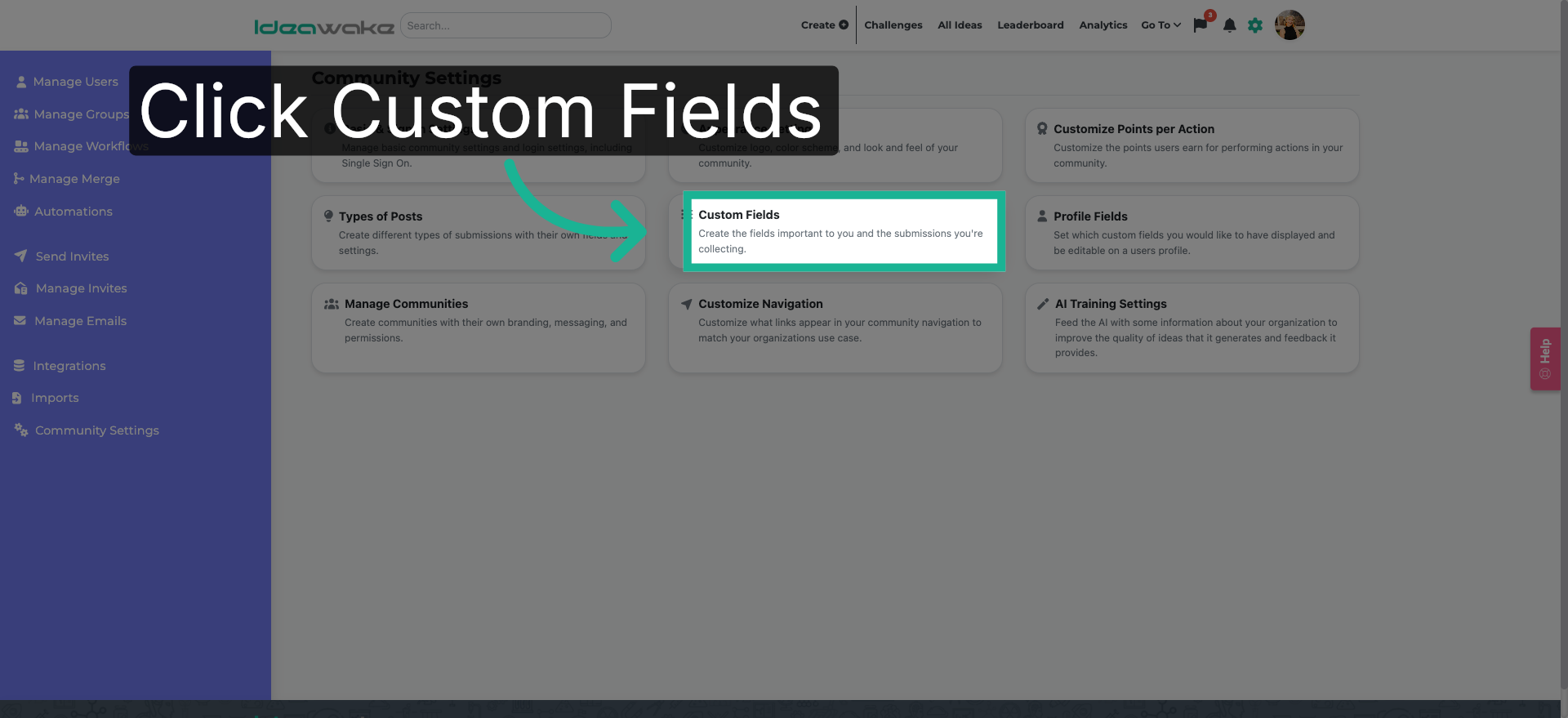
2. Create Custom Fields
Next, Click "Custom Fields" to export your custom fields list.
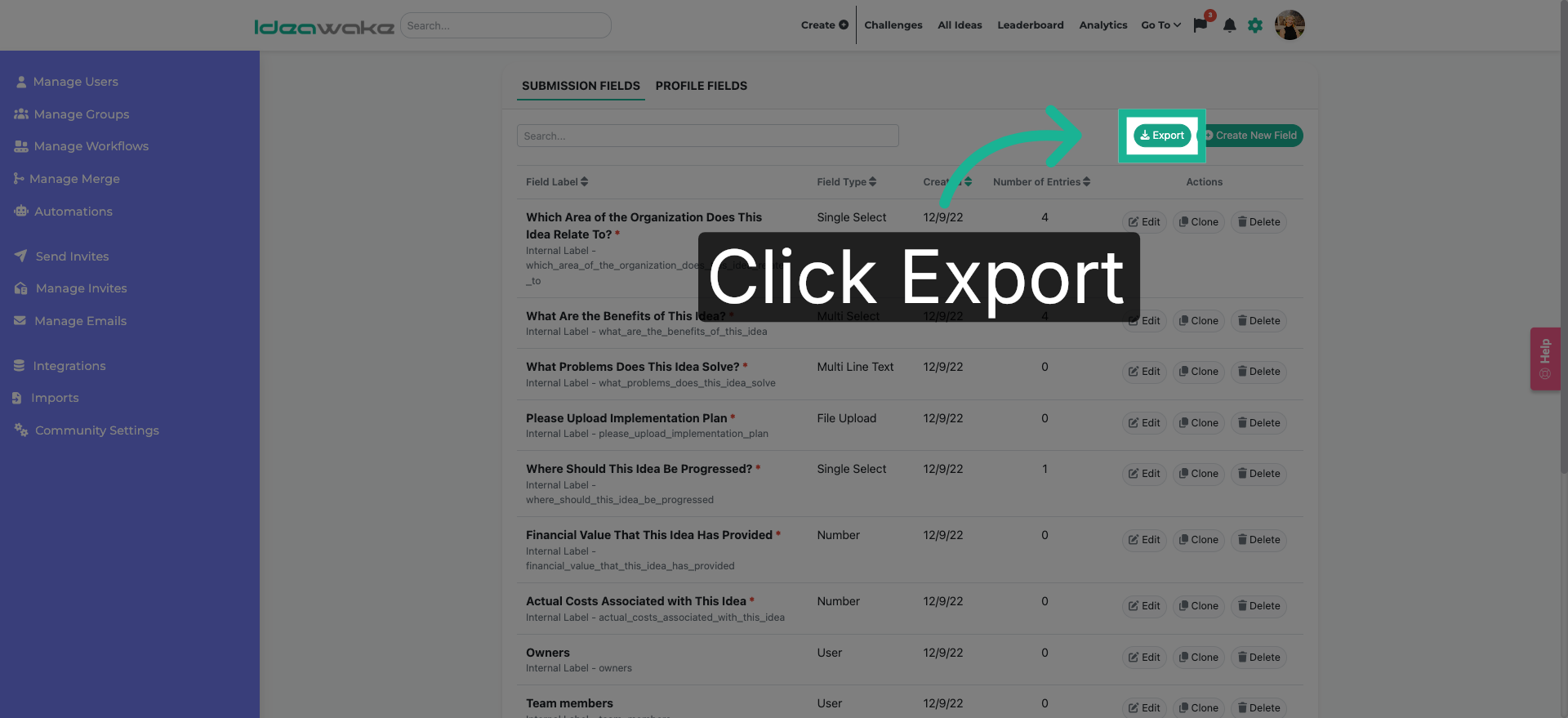
3. Initiate Data Export
Click the "Export" button to begin the process of exporting.
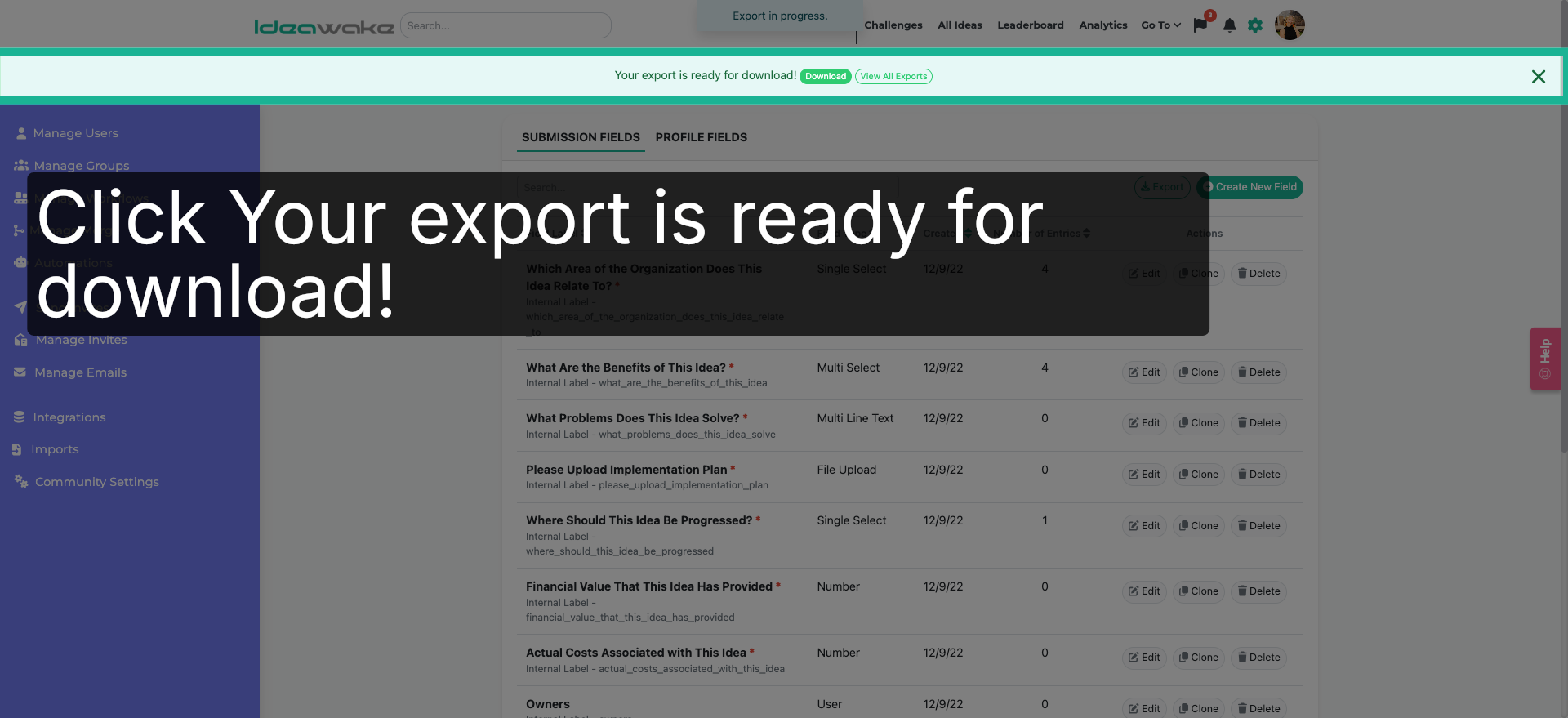
4. View Export Availability
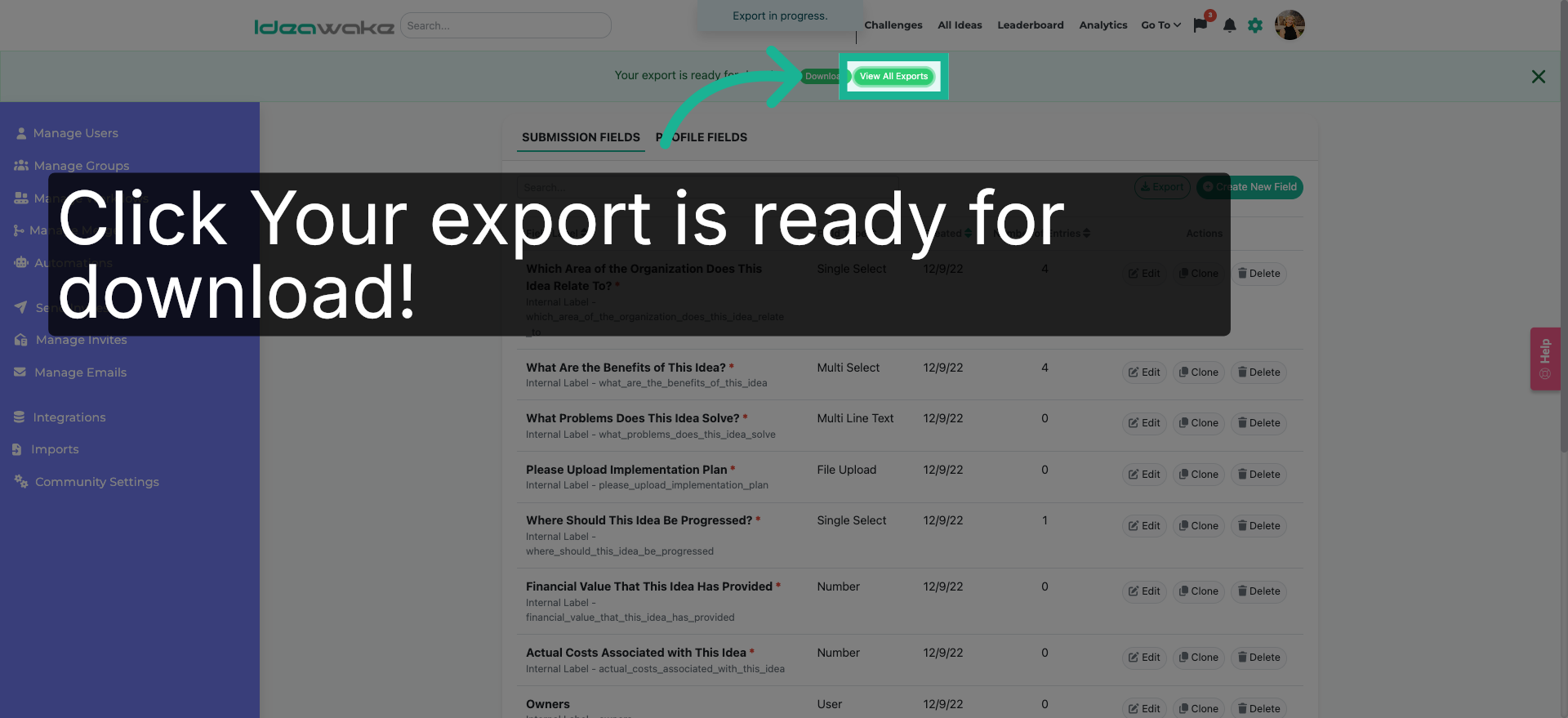
A banner will appear where you can download the custom fields export.
5. Confirm Export Readiness
Click on the view my exports button.
6. Filter Completed Exports
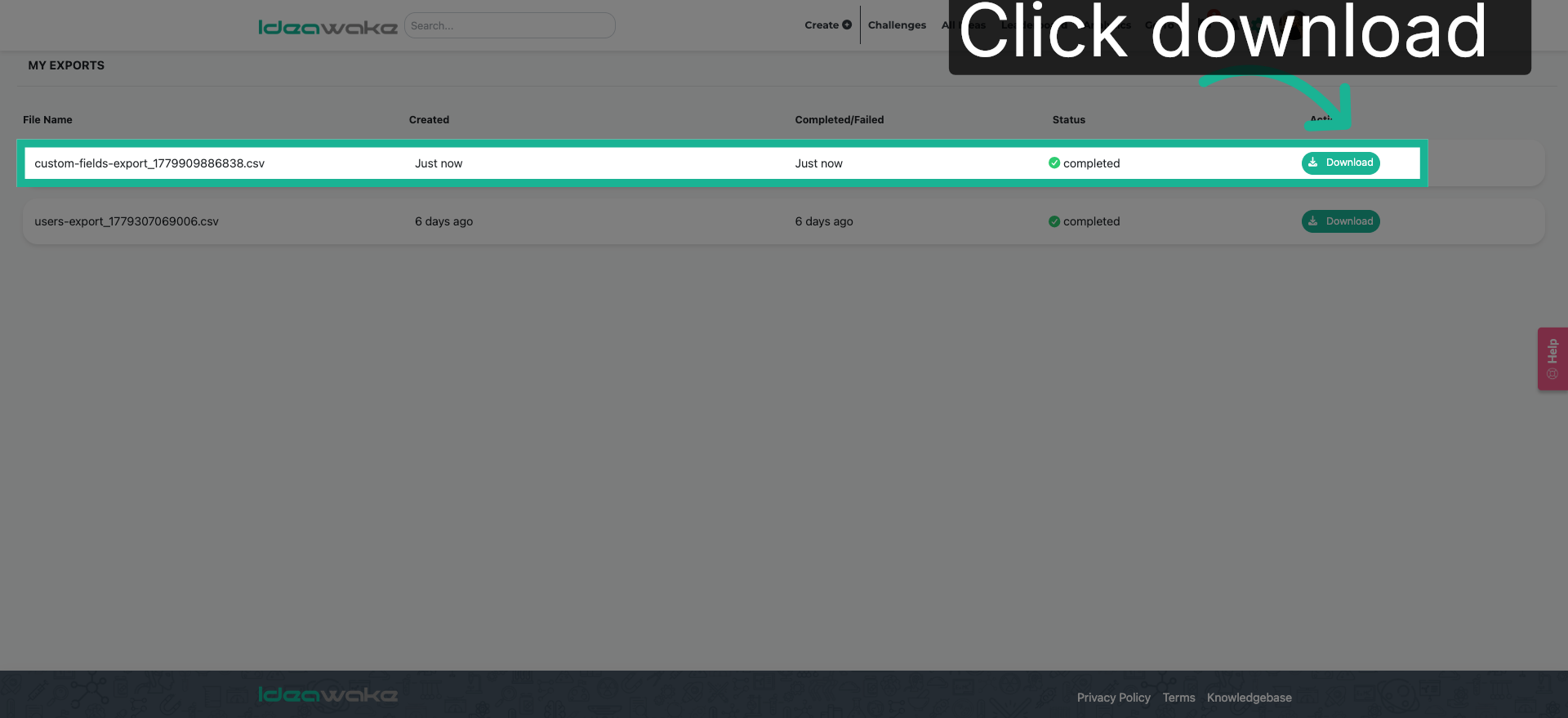
Click download. Your download will begin shortly in CSV format.
You have successfully learned how to export your custom fields.