Delete a Task on an Idea
How to delete an existing task under the milestones & tasks section on an individual idea.
Milestones and Tasks must be enabled on the idea you are viewing in order to complete this tutorial. For more information, please see Enable Milestones & Tasks on an Idea.
00:00: This tutorial explains how to manage milestones and tasks within the Ideawake
00:04: platform.
00:05: You will learn how to create ideas, navigate to task sections, and delete items
00:09: effectively.
00:10: Click "Create spaces within the building that allow for peace and quiet for
00:13: introverted workers" to add a new idea in Ideawake.
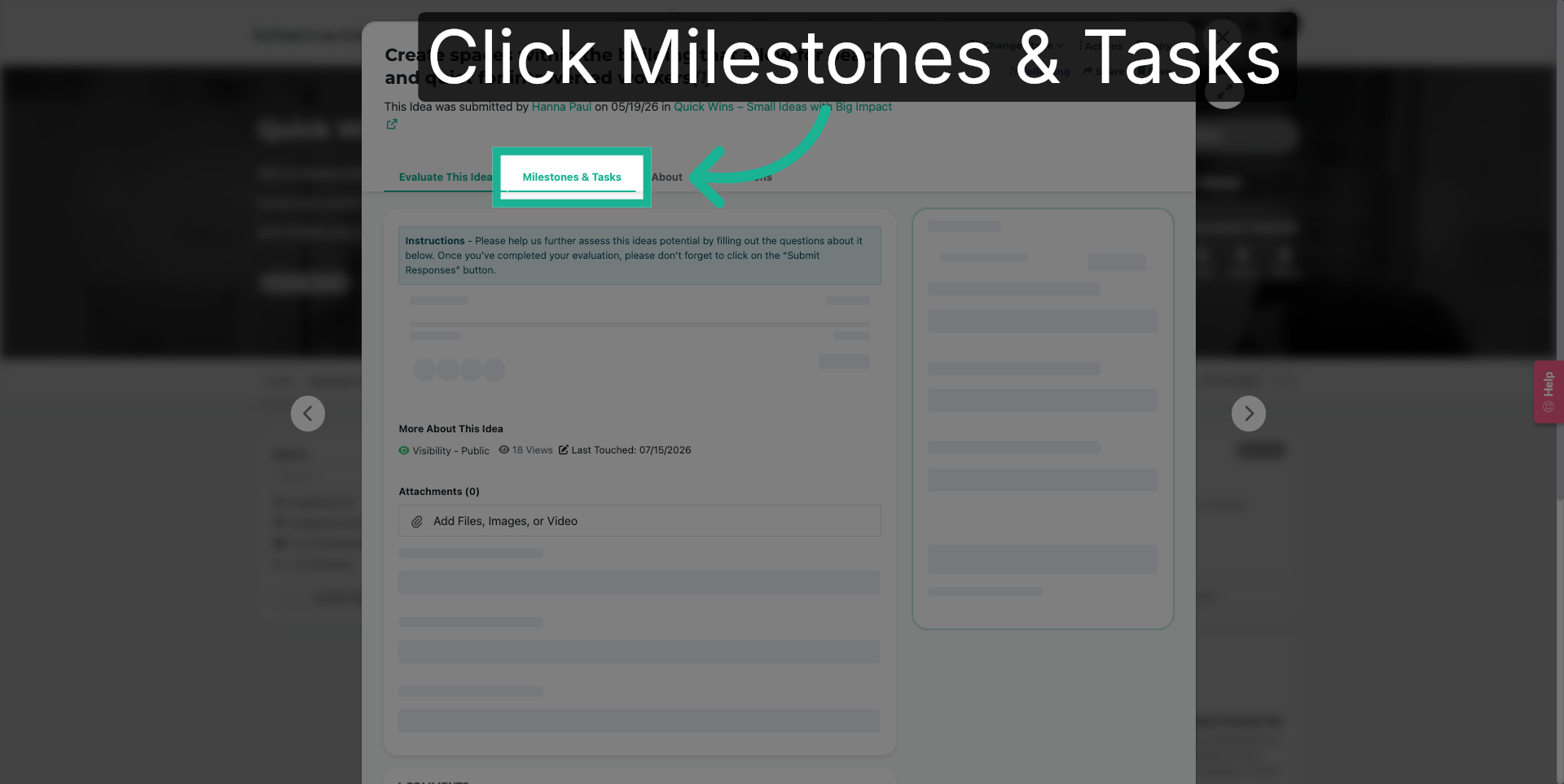
00:18: Click "Milestones & Tasks" to view and manage project milestones and associated
00:22: tasks within Ideawake.
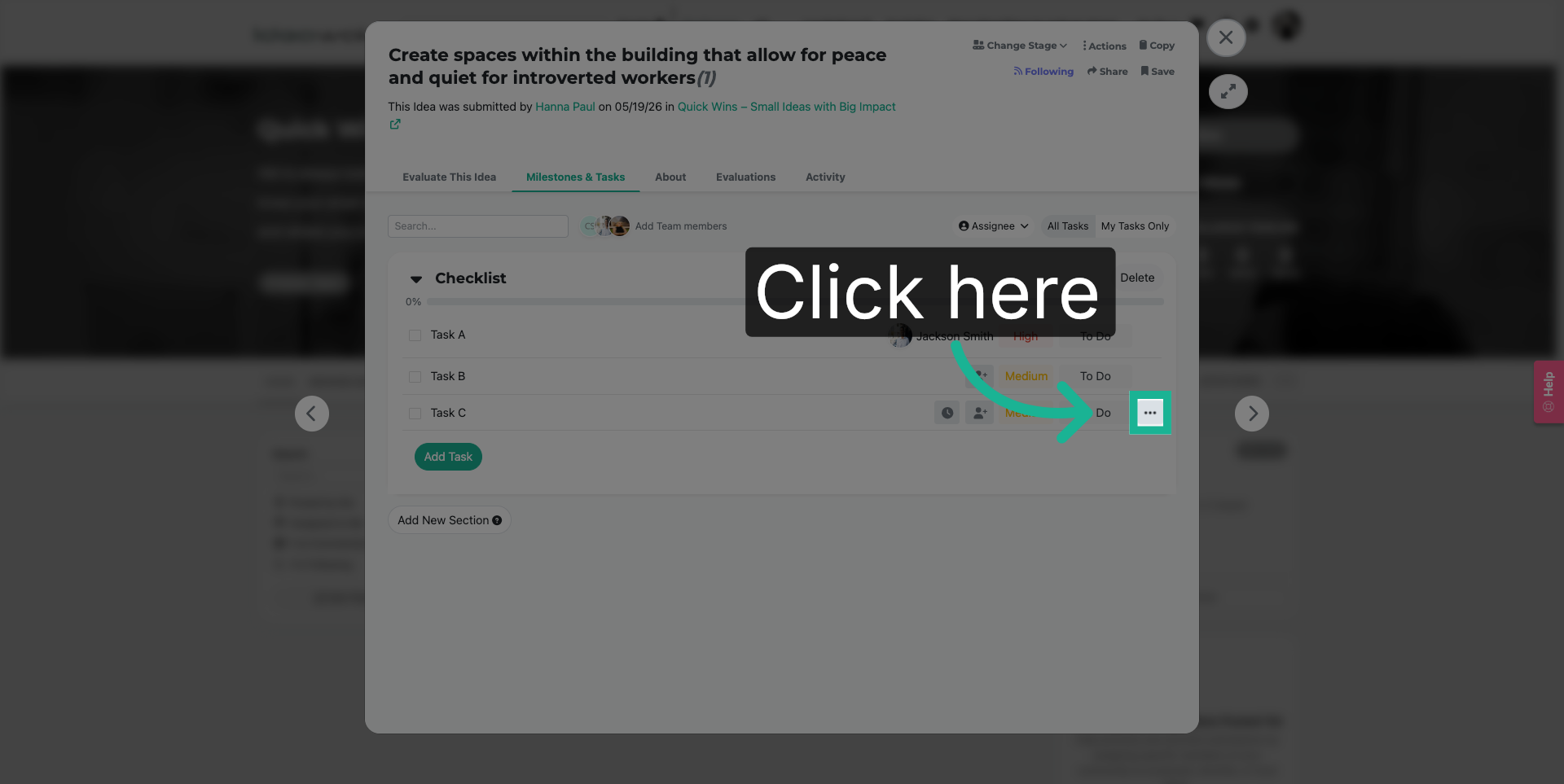
00:25: Click here to select the item you want to manage or modify within the Milestones
00:29: & Tasks section.
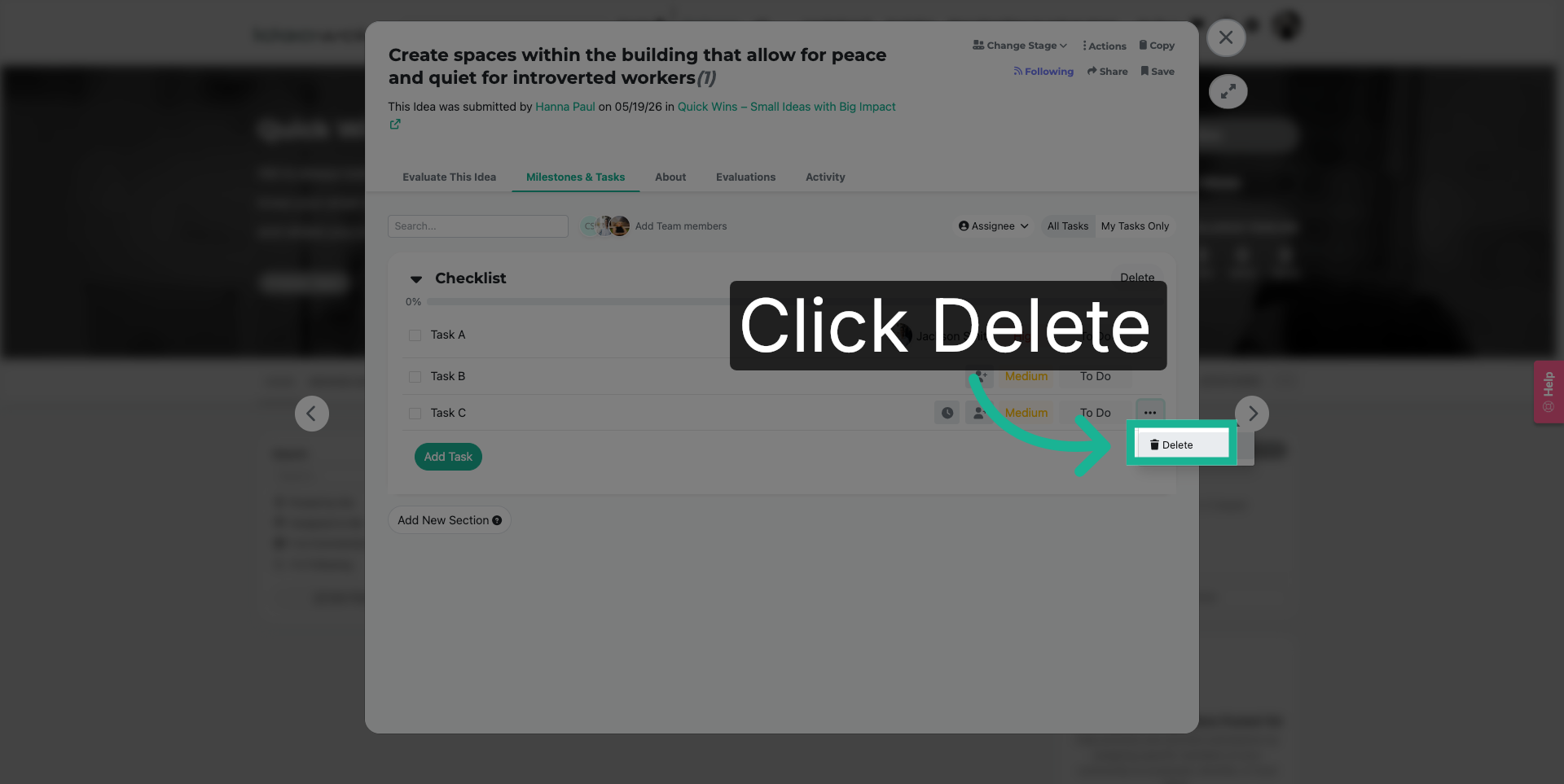
00:31: Click "Delete" to remove the selected item from your milestones or tasks in Ideawake.
00:36: Wake
00:37: You have successfully managed milestones and tasks in Ideawake by creating an
00:41: idea, navigating to the task section, selecting an item, and deleting it as needed.
00:47: This process helps maintain organized project workflows.