![ideawake-logo-simple-no-padding-1.png]](https://academy.ideawake.com/hs-fs/hubfs/ideawake-logo-simple-no-padding-1.png?height=30&name=ideawake-logo-simple-no-padding-1.png)
This tutorial guides you through managing comments within the Ideawake platform.
1. Click on the Challenge Title
Click on the challenge title or thumbnail to open the challenge homepage in Ideawake.

2. Open Comments Section
Click "Comments" to view the existing comments associated with the idea.

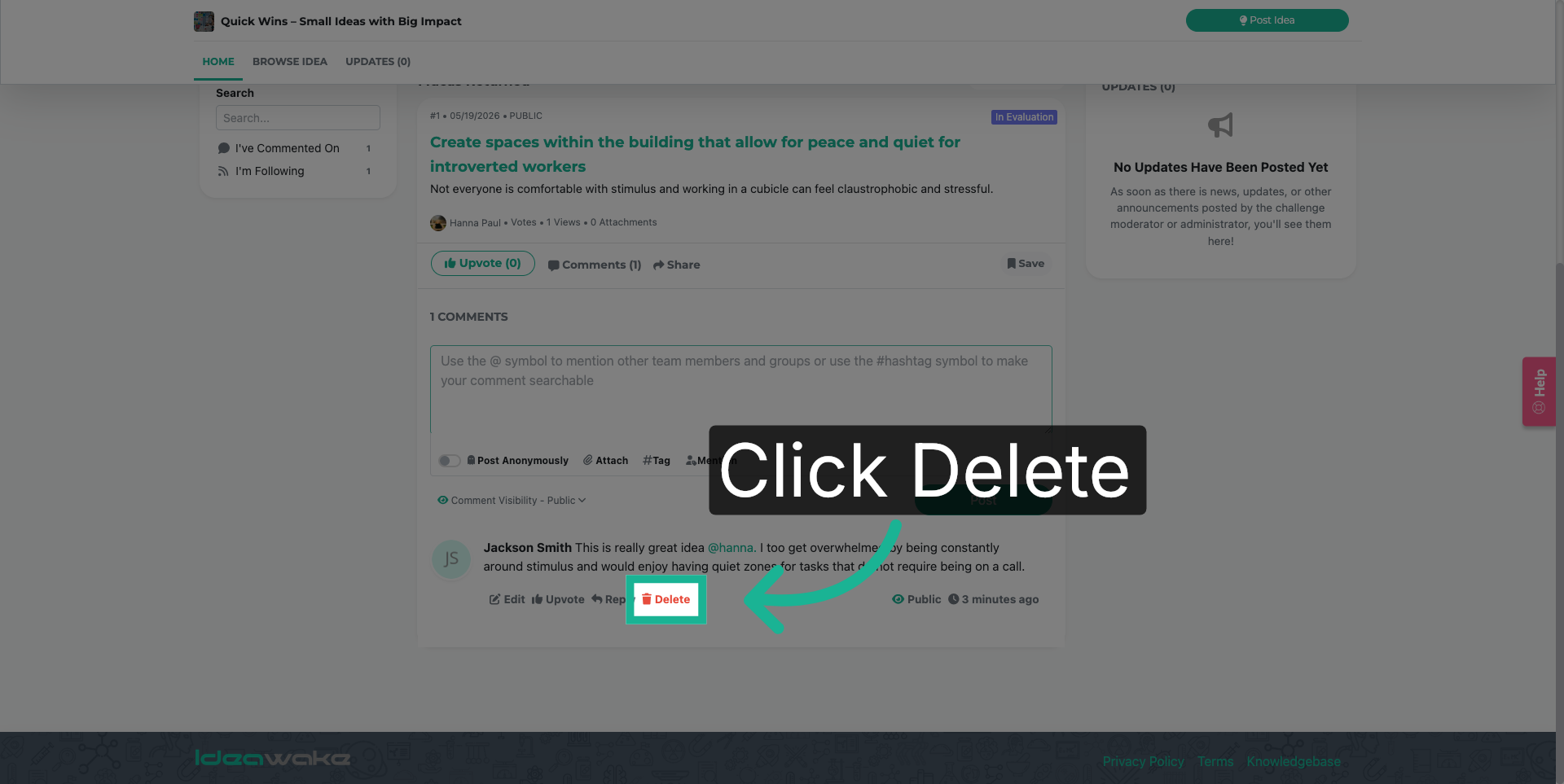
3. Initiate Comment Deletion
Click "Delete" to begin removing the selected comment from the idea.
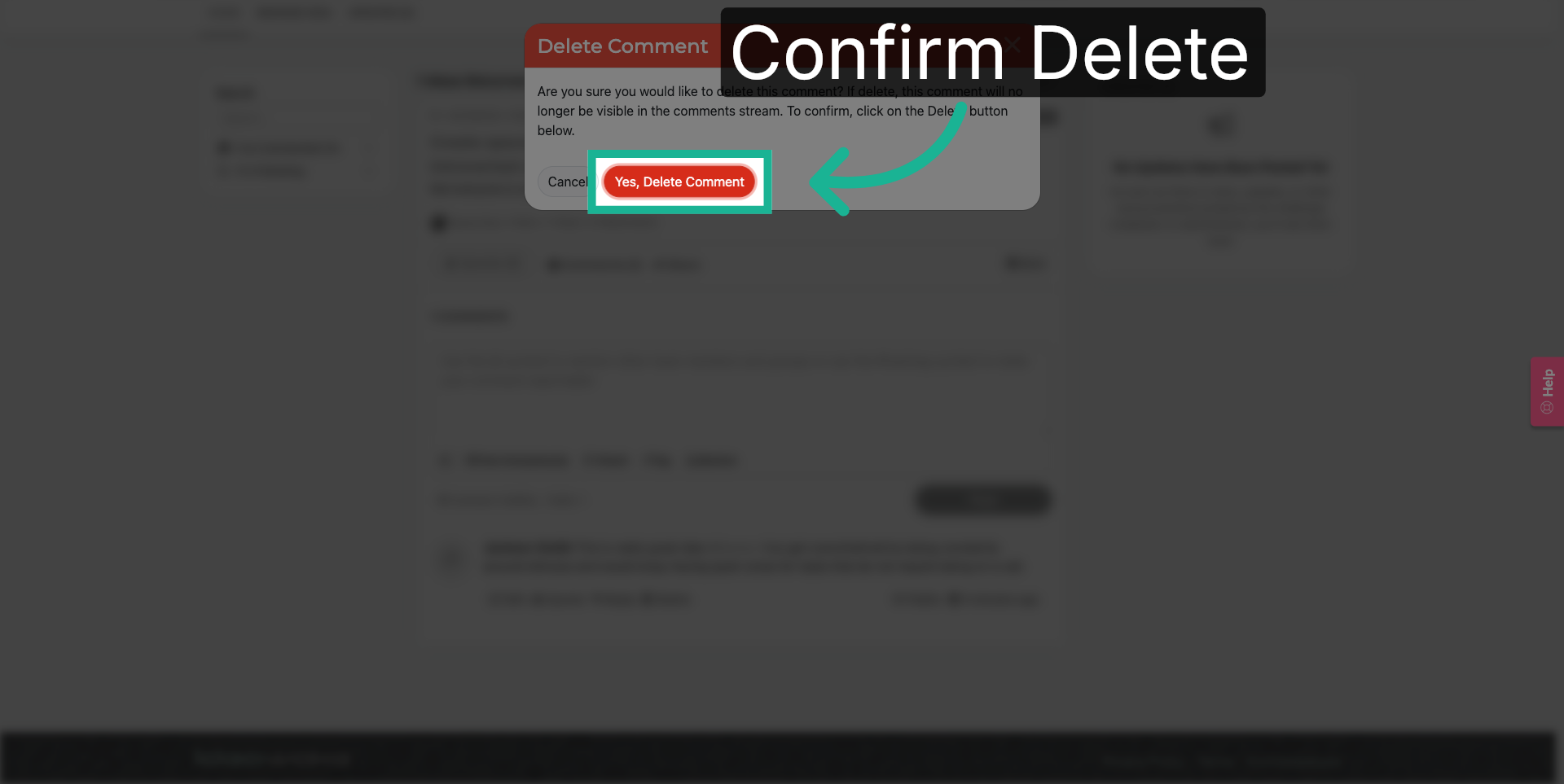
4. Confirm Comment Deletion
Click "Yes, Delete Comment" to confirm and permanently delete the comment.
These steps will allow you to successfully delete your comment(s). Reach out to your point of contact if you have any further questions.