![ideawake-logo-simple-no-padding-1.png]](https://academy.ideawake.com/hs-fs/hubfs/ideawake-logo-simple-no-padding-1.png?height=30&name=ideawake-logo-simple-no-padding-1.png)
This tutorial explains how to delete a challenge within the Ideawake platform.
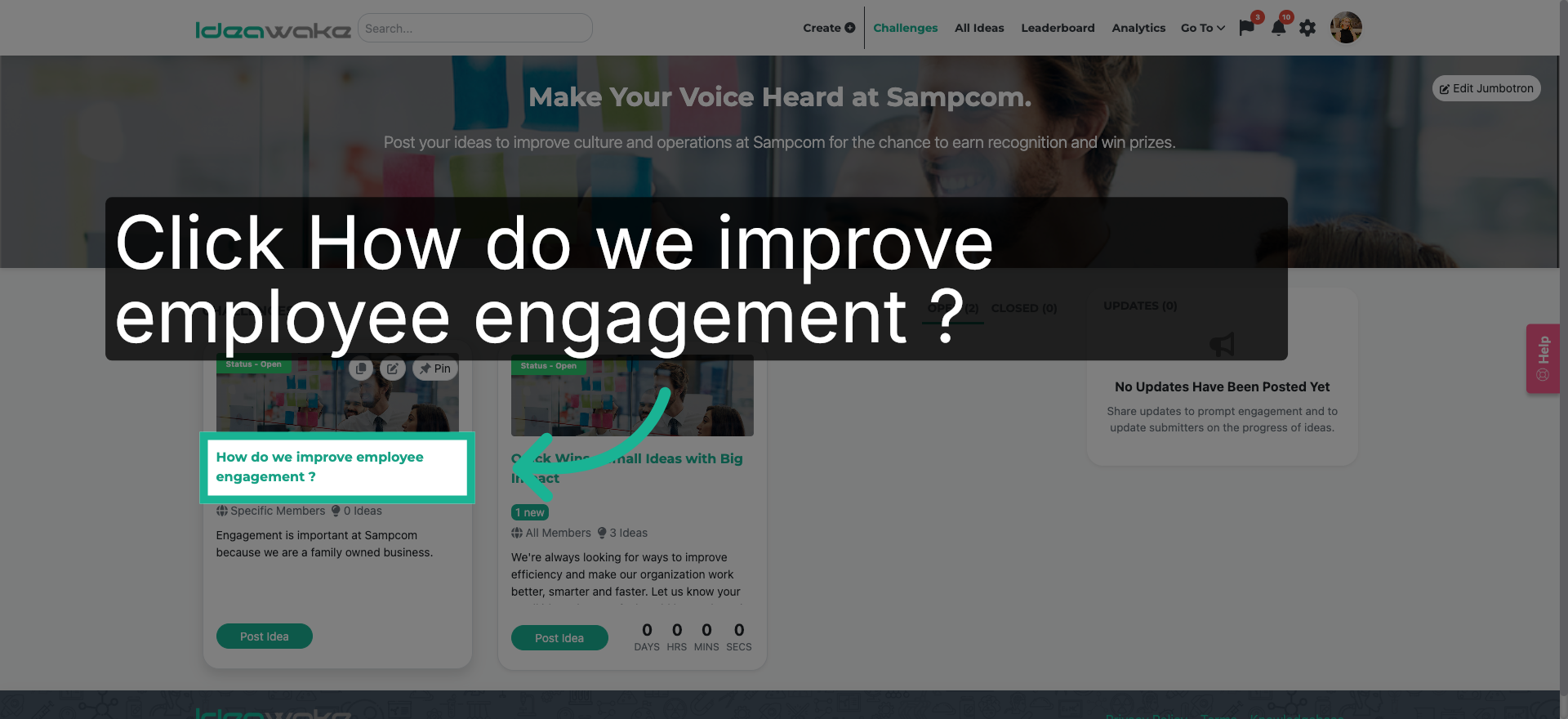
1. Access Employee Engagement Challenge
Click "How do we improve employee engagement ?" to open the specific challenge details within Ideawake.
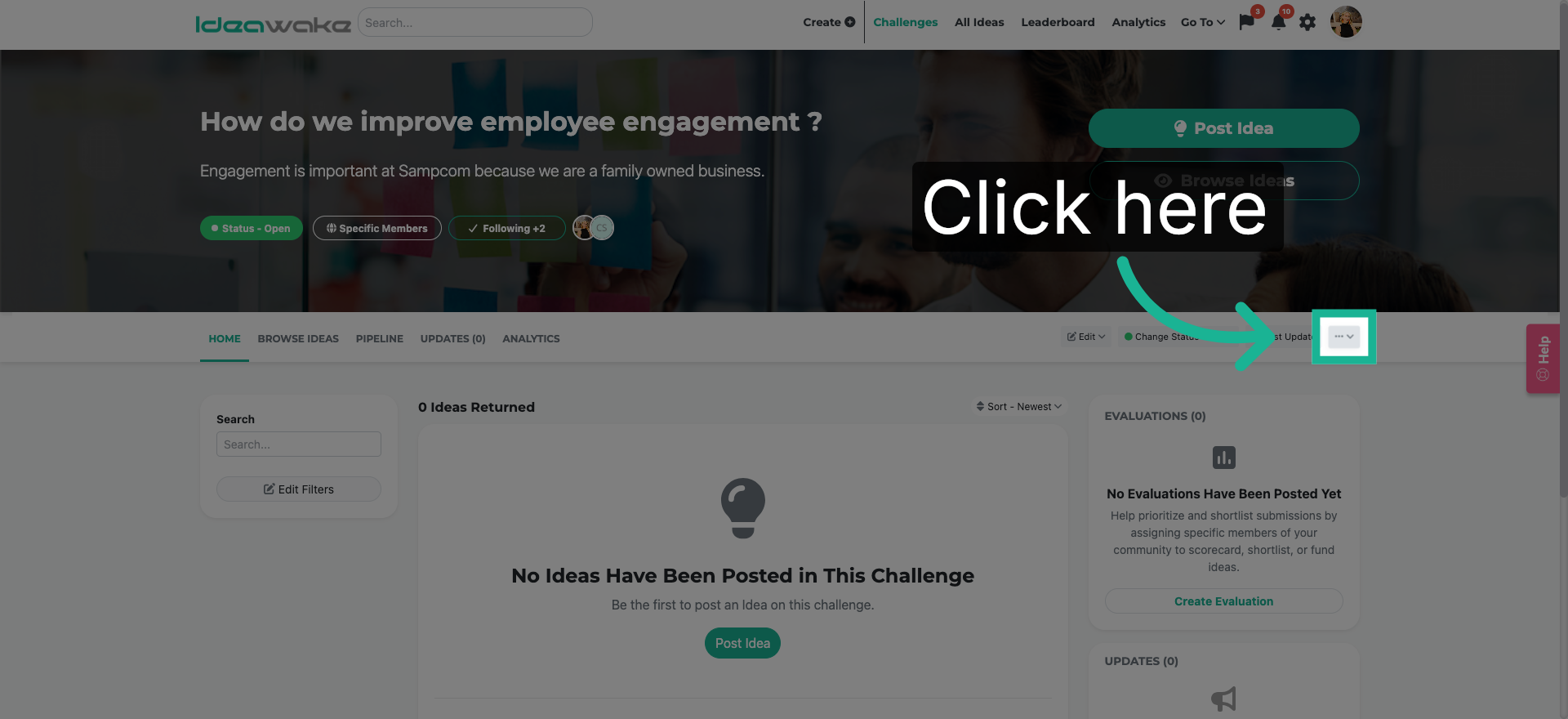
2. Open Challenge Options Menu
Click here to access the options menu for the selected challenge.
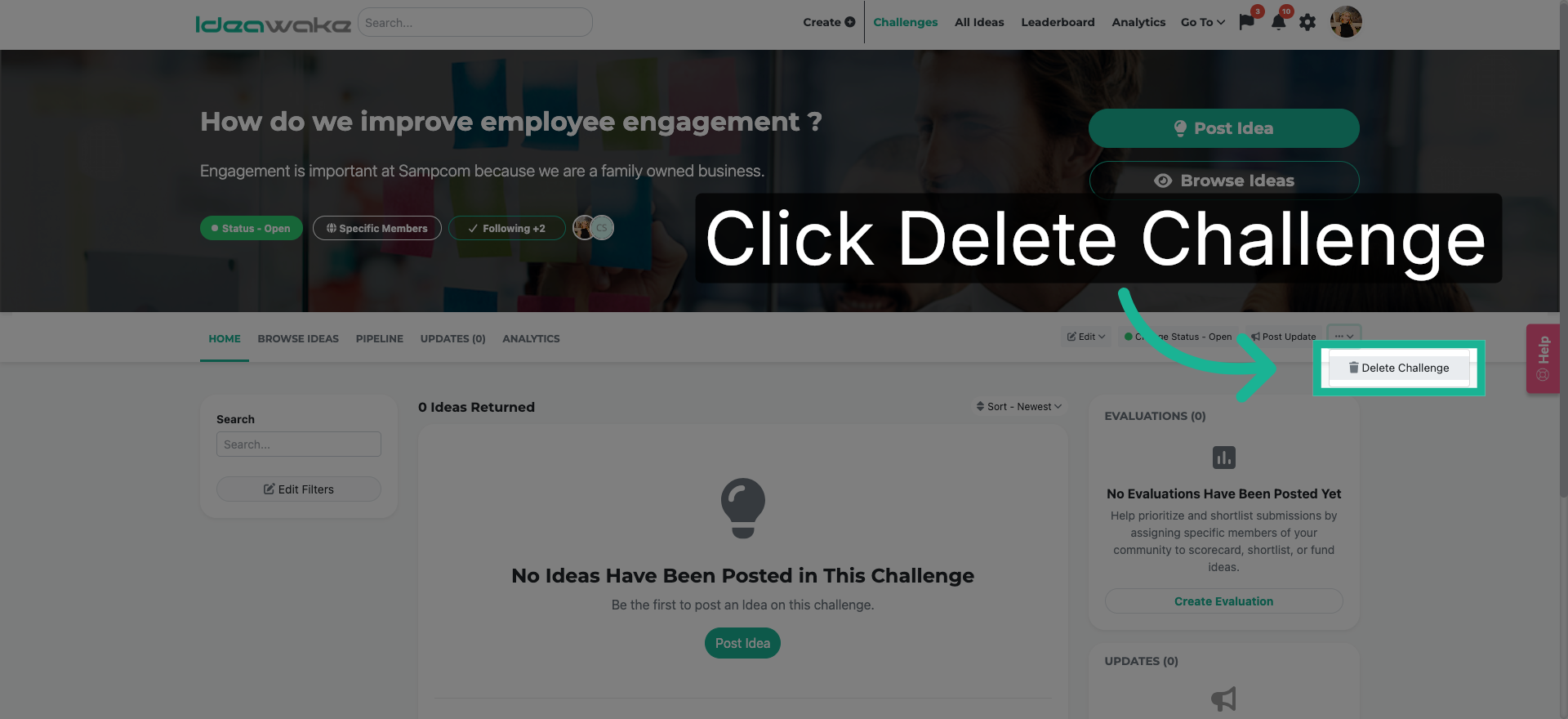
3. Select Delete Challenge Option
Click "Delete Challenge" to initiate the removal process for the challenge.
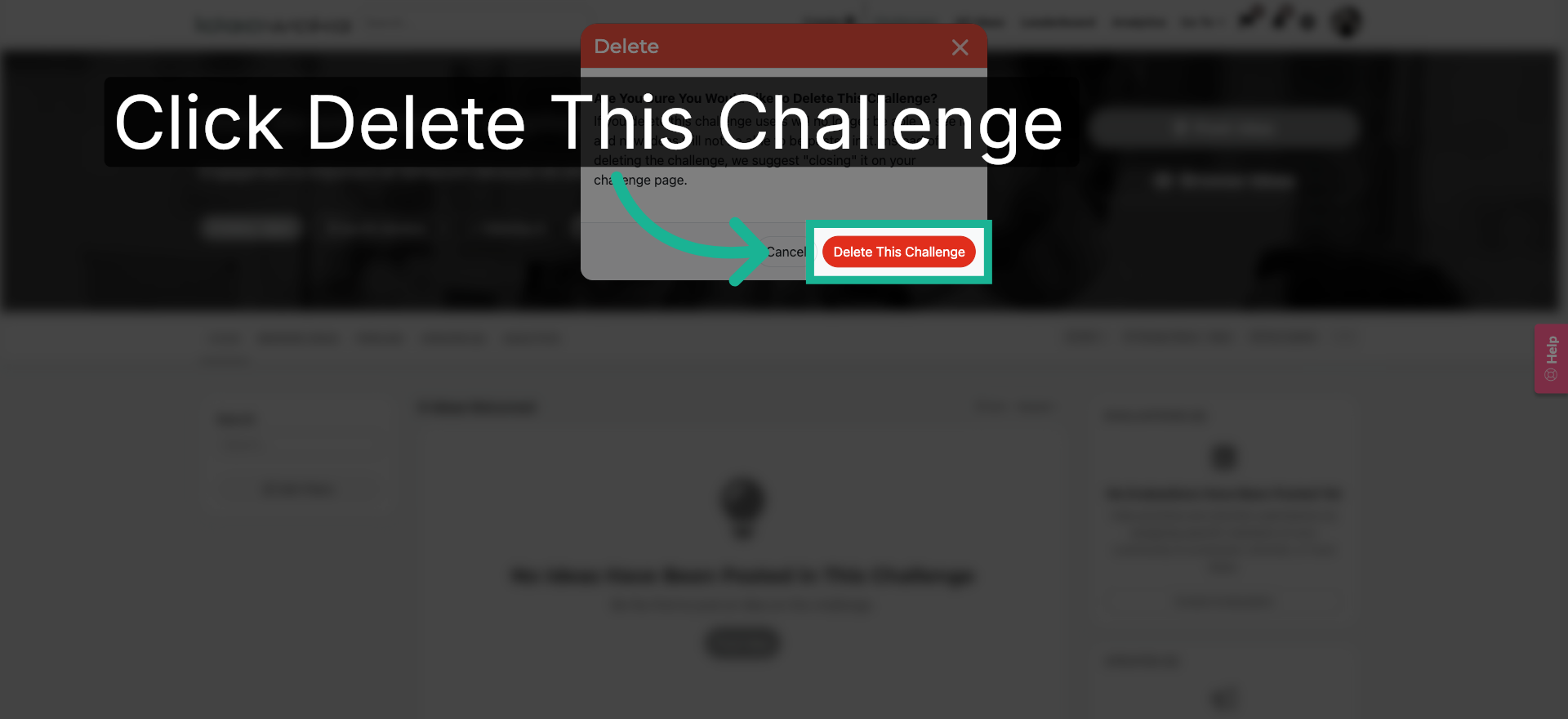
4. Confirm Challenge Deletion
Click "Delete This Challenge" to confirm and permanently delete the challenge from Ideawake.
You have successfully deleted a challenge in Ideawake by accessing the challenge, opening its options, selecting delete, and confirming the deletion. This process ensures challenges are removed safely from your platform.